
After recently checking out the "entry-level" configuration with the G752VT, it's now time to move up to the G752VY with Asus' vaunted vapor cooling solution. Is this really a revolution for notebooks or just another empty marketing term?
The recent ROG G752VT with GTX 970M retails for roughly $1800 USD while this G752VY SKU starts at $2500 USD with the GTX 980M and the same Intel i7-6700HQ CPU. The huge price discrepancy cannot be solely due to the GPU, of course. Instead, this particular G752VY SKU boasts vapor chamber cooling to set it apart from the lower-end G752 SKUs. The cooling technology can be found on enthusiast-level desktop graphics cards and Asus is one of the first major manufacturers to successfully incorporate it onto a consumer notebook.
We recommend checking out our existing G752VT review page for more information on the chassis, connectivity features, display, and input devices of the G752 series in general. This review update will instead focus on the performance of the G752VY and any notable differences between it and the G752VT.
Case
The jump to vapor cooling from the more traditional G752VT has added an immense amount of weight to the notebook. Whereas the G752VT just barely cracks 4 kg, the G752VY is nearly half a kilogram heavier and almost 10 pounds in weight. This makes the notebook one of the heaviest 17-inch gaming solutions around as even the Eurocom Sky DLX7 or Asus' own GX700 are "only" 4.3 kg and 3.9 kg, respectively. The massive 18.4-inch MSI GT80 is still a couple hundred grams heavier than our Asus for those who are keeping count.
Another consequence of integrating the vapor chamber is that the G752VY is actually thicker than the G752VT around the rear (42.9 mm vs. 48.2 mm) while maintaining the same length and width. The design of the rear ventilation has also been made more colorful with brighter orange LEDs to further separate the vapor cooler editions from the standard G752 SKUs.
The chassis is otherwise identical in construction and quality to the G752VT. Xotic PC applies its own customized airtight matte cover to protect the brushed aluminum surface underneath.

Connectivity
No changes have been made to available ports or port placement. We would have liked to see more full-size USB ports considering the size and price of the notebook. The competing MSI GT72S offers six USB ports compared to four on our Asus.


Maintenance
Users have easy access to the M.2 slots, 2.5-inch SATA bay, and 2x SODIMM slots. Direct access to other core components of the motherboard will require further user-unfriendly disassembly, which shouldn't surprise most ROG fans. Note that the small window to the left of the SODIMM slots is now showing a thicker copper cooler compared to the same window on the G752VT.
Warranty
Xotic PC offers the standard 12-month warranty for all accessories including the AC adapter and any customized components. Meanwhile, Asus will cover OEM components for 24 months and the internal battery for only 6 months. Any customized configurations must go through Xotic PC first for diagnosis.

Display
The G752 series is limited to 1080p G-Sync with no touchscreen or higher resolution options. Like our previous G752VT test unit, the G752VY is better calibrated out-of-the-box than the ThinkPad P70, MSI WT72, and even the GX700. Clevo and Eurocom continue to have better panels with deeper colors and higher resolutions to better appeal to both gamers and professionals.
Backlight bleeding is again present on our G752 for a second time and is most noticeable around the corners and right edge. Fortunately, the effect is minor enough to be difficult to notice unless if in a darkened room.
Color coverage is approximately 85 percent and 56 percent of sRGB and AdobeRGB, respectively. The underlying LG Philips LP173WF-SPF3 panel is also found on the Asus GX700 and Lenovo Y700, so the gamuts between the three notebooks are an almost perfect match.
The identical LG Philips panel naturally lends itself to nearly the same color profile and grayscale measurements as found on our G752VT test unit. If anything, these retests confirm our previous results with Orange colors being the least accurate and an overall imperfect sRGB coverage.
Response time measurements are again nearly identical in Black-White transitions. Grayscale measurements, however, are less consistent and slower this time around at a combined 42.8 ms compared to 30.4 ms on the G752VT.
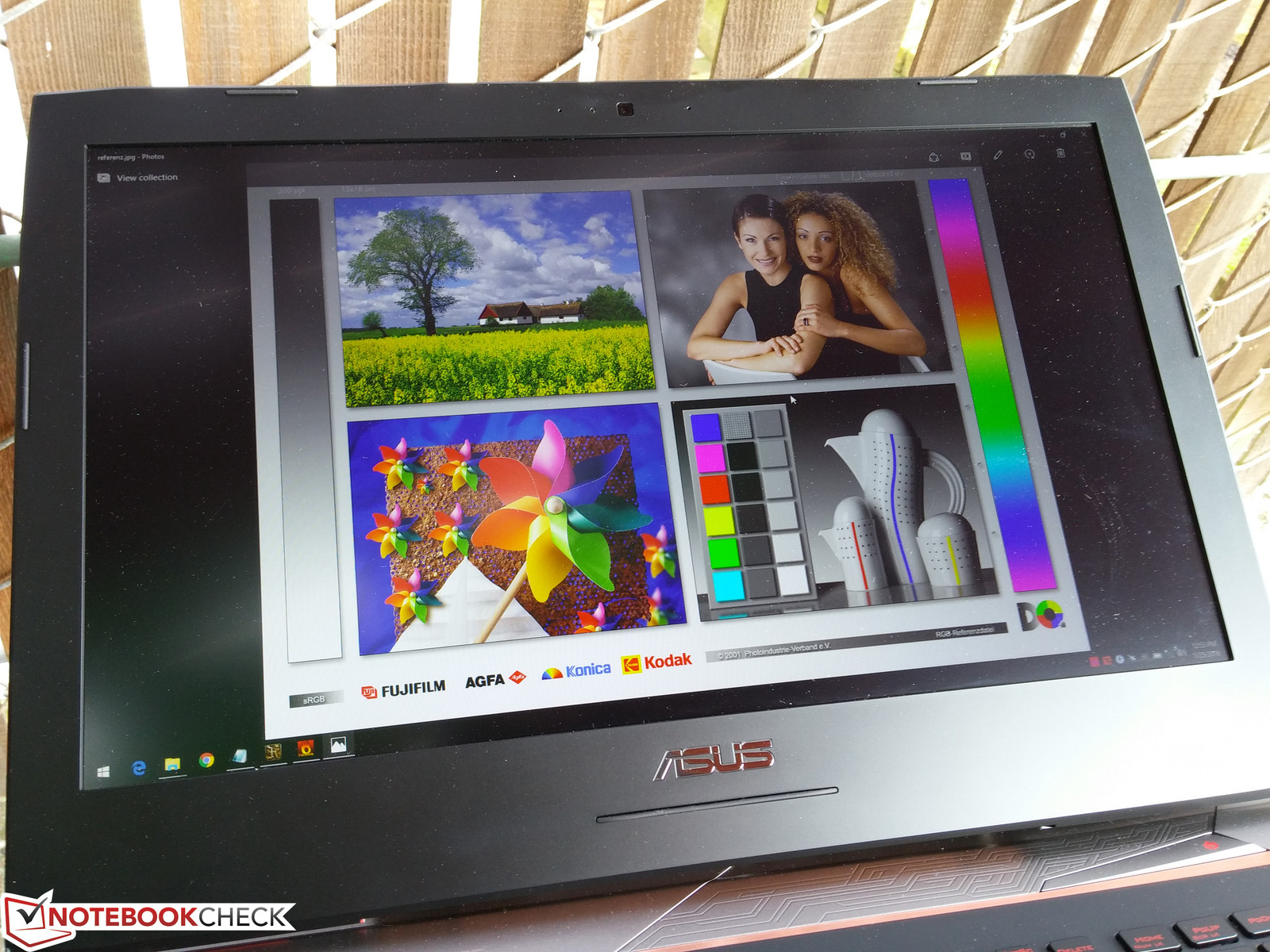
Outdoor visibility is better than average due to the matte IPS panel, wide IPS viewing angles, and relatively bright backlight. Of course, the notebook was not designed for extended use outdoors.
Performance
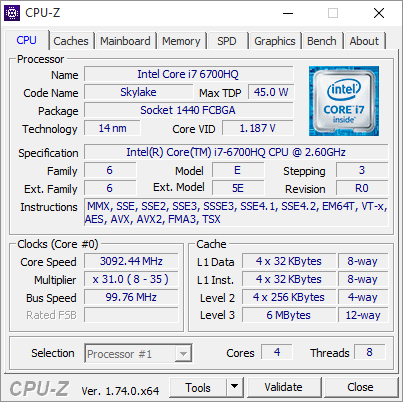
Our test unit is equipped with the same Core i7-6700HQ CPU as our G752VT. Users willing to spend even more on the G752VY can opt for the higher-end SKU with the overclockable Core i7-6820HK. Perhaps more notably, this "ultimate" configuration is equipped with a GTX 980M with 8 GB of GDDR5 VRAM compared to just 4 GB of GDDR5 VRAM in our lower-end G752VY test model. It's a bit disappointing to see Asus cut corners like this and to trim VRAM by as much as half.
Optimus is not included with the notebook, so the integrated HD 530 GPU cannot be used. LatencyMon shows recurring spikes every few minutes or so even with wireless disabled.
Processor
Raw CPU performance according to CineBench is essentially identical to the i7-5700HQBroadwell core in the MSI GE62 and is 6 percent and 12 percent faster in single-threaded and multi-threaded applications, respectively, than the older i7-4720HQ Haswell core in the Eurocom Shark 4. The i7-4940MX, otherwise known as the fastest consumer-based quad-core Haswell CPU for mobile, outperforms the i7-6700HQ while operating at a higher TDP (45 W vs. 57 W). The desktop i7-6700K is even faster still, though the i7-6700HQ is more than sufficient for modern games.
System Performance
PCMark benchmarks rank our G752VY within just a few percentage points of competing models including the MSI GT72S and Eurocom Sky DLX7. Subjectively, OS navigation is fast and without any hiccups. We experienced no boot up or wake-from-sleep issues like we did on our previous GT72S and Y700 test units.
Storage Devices
Users can equip up to three internal storage drives on the G752, which is fewer than on the GT72S or Eurocom DLX7. Furthermore, there is no RAID support despite carrying two M.2 slots, so systems with dual NVMe SSDs in RAID 0 can outperform our test model.
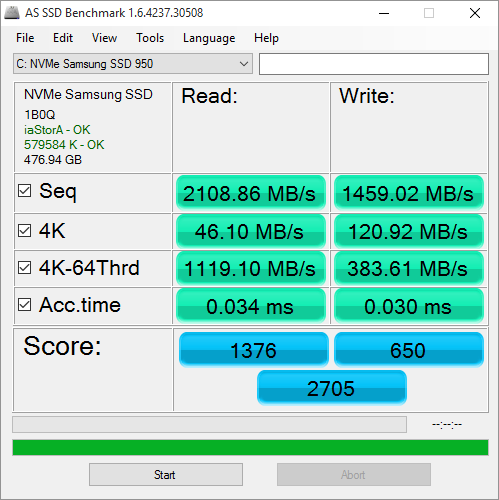
Our unit uses a primary 512 GB Samsung 950 SSD M.2 card and a secondary 1 TB Hitachi HGST HTS721010A9E630 HDD. Sequential read and write rates are exactly where we expect an NVMe SSD to be at roughly 2000 MB/s and 1500 MB/s, respectively. It's no surprise that the system runs laps around less expensive models like the Lenovo Y700 where storage drives are limited to SATA III transfer rates.
Meanwhile, the secondary 7200 RPM drive returns a very good transfer rate of just over 106 MB/s according to HD Tune. Access times are still average at 16 ms.
GPU Performance
3DMark ranks our G752VY GPU consistently ahead of our similarly equipped Acer Predator 15 by nearly 10 percent in all cases. This is due to memory overclocking from reseller Xotic PC as our GPU RAM is listed at 5310 MHz compared to 5010 MHz on standard GTX 980M systems. The base core clock rate, however, remains untouched at 1038 MHz.
Systems with GTX 980M SLI GPUs are still significantly faster than our single GPU setup by 50 to 80 percent or more depending on the benchmark. Our GX700 and its GTX 980 is roughly 30 percent faster than our GTX 980M SKU.

Gaming Performance
Users will be able to play most if not all games on maximum settings at a relatively stable 60 FPS even for the most demanding of titles. The findings are unsurprising and is shared between other notebooks that pair a "low" 1080p display with a GTX 980M GPU. Nonetheless, results are consistently ahead of the GTX 980M in our Medion Erazer barebone due to the aforementioned overclock on our test unit.
Stress Test
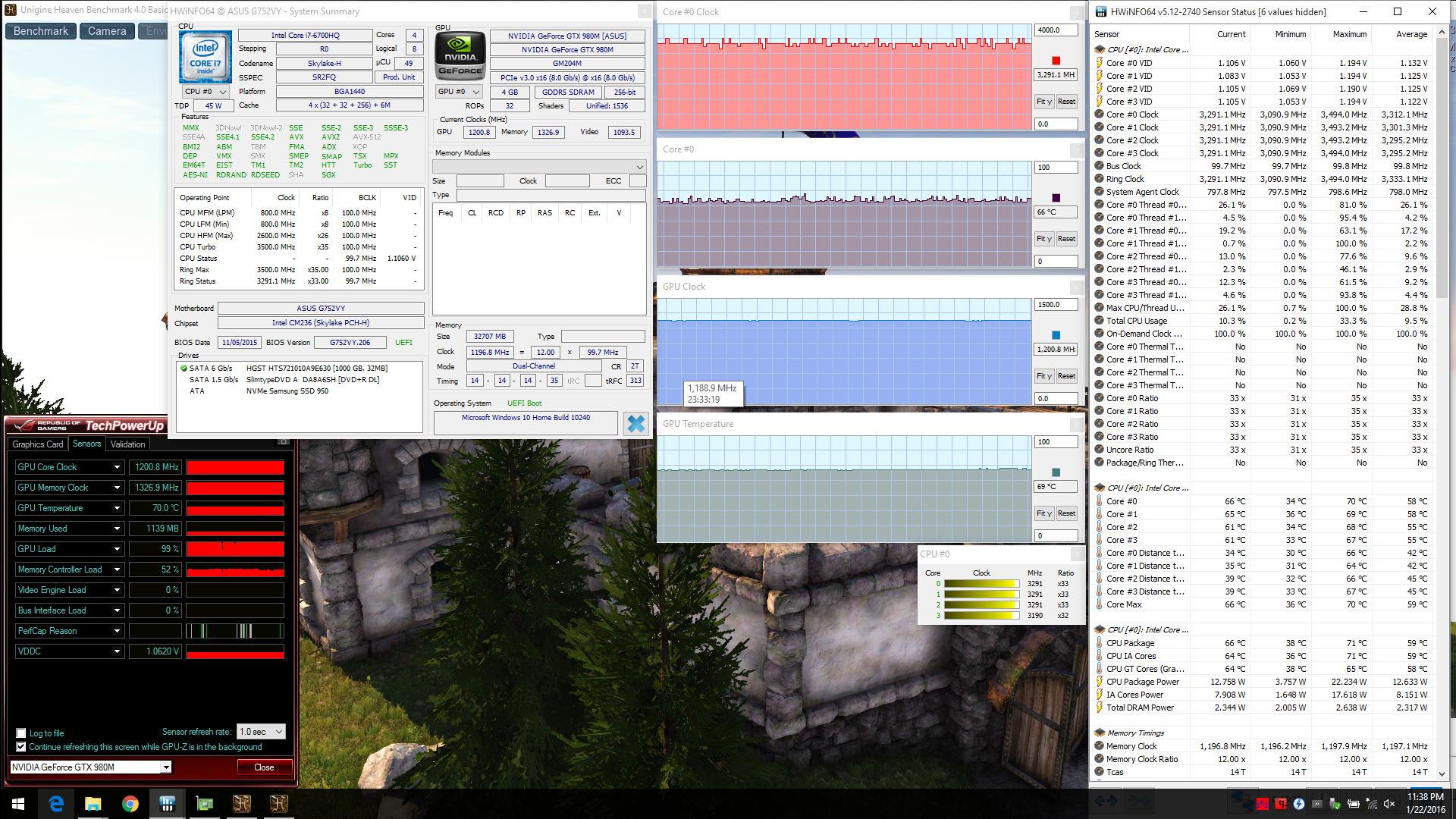
We stress the notebook with unrealistically high loads to put the vapor cooler chamber to the test. Are the results any better than on the G752VT?
The answer is a resounding yes with lower CPU temperatures across the board and an almost equivalent GPU temperature despite using the faster (and factory overclocked) GTX 980M. Whereas the i7-6700HQ stabilizes at just under 90 C in our G752VT test unit under extreme stress, the same processor stabilizes at around 77 C in our G752VY under the same conditions without any imposed throttling.
Running on batteries will reduce the benefits of GPU Boost and limit memory clock to 800 MHz according to GPU-Z. A 3DMark 11 run on battery power will return Physics and GPU scores of 9099 points and 10157 points, respectively, compared to 9176 points and 13581 points when connected to mains.
System Noise
The dual system fans are always active on the G752 even when idling at a recorded 33.5 dB(A). Fan noise remains at this base state when browsing or performing light-medium loads.
Running games will bump fan noise up to the 37 dB(A) to 47 dB(A) range before finally settling at a more constant 40.3 dB(A). This is louder than on both the G752VT and MSI GT72S and is about the same as the Eurocom DLX7 and Lenovo Ideapad Y700. Maximum load with both Prime95 and FurMark will cause fan noise to hover at around 45 dB(A). Thus, while the vapor cooler leads to lower overall core temperatures, fan noise is not necessarily any quieter as a result.
We should note that our test unit emitted an electronic whine that was very noticeable, though this eventually went away after a few hours. This was not present on our G752VT unit and may be specific to either our test unit only or all SKUs equipped with the vapor chamber cooler.
Temperature
Are surface temperatures any warmer than on the G752VT? The hot spots on the G752VY are indeed a couple of degrees warmer compared to its lesser equipped SKU, though the unit is still very cool on average especially for a gaming notebook. When under extreme processing loads, we were able to measure a maximum of just over 40 C on the bottom corners. Heat development is very concentrated in order to keep the palm rests and WASD keys cool for comfortable gaming.
In comparison, the Eurocom Sky DLX7 and MSI GT72S can become as warm as 50 C and 57 C, respectively, under similar testing conditions. Even the much weaker and thinner 17-inch Lenovo Ideapad Y700 is warmer than the G752VY on average.
Battery Life
Runtimes on the G752VY are very good considering the size of the notebook, the non-removable and lower battery capacity compared to other 17-inch competitors, and the demanding hardware within. Our results show the notebook outlasting even the less powerful G752VT, although this discrepancy could have been due to a variety of other factors including automatic updates or passive background applications on our older test unit. Battery life is still better than the GX700, Eurocom Sky DLX7, and MSI GT72S despite their denser battery packs.
Even from our short time with the G752VY, it's clear that the vapor chamber was designed for enthusiasts and configurations even more powerful than our i7-6700HQ and GTX 980M. Temperatures on the G752VY are about the same if not lower than on the lesser-equipped G752VT despite the overclocked GPU inside. Fan noise, however, is not necessarily any quieter. It would have been excellent to have even higher SKU options with desktop-class CPUs and a GTX 980 GPU like the Eurocom DLX7 since the vapor chamber editions are powerful enough for higher heat dissipation.
The major downsides to the vapor chamber are the thicker height and massive weight that it adds to the notebook. Otherwise, our nitpicking on the G752VT still applies here including the user-unfriendly maintenance and lack of NVMe RAID 0 support, both of which are common on competing flagship gaming models. The fact that direct access to the motherboard is largely off limits may put off hardcore users who prefer the accessibility of Clevo or MSI designs instead.
