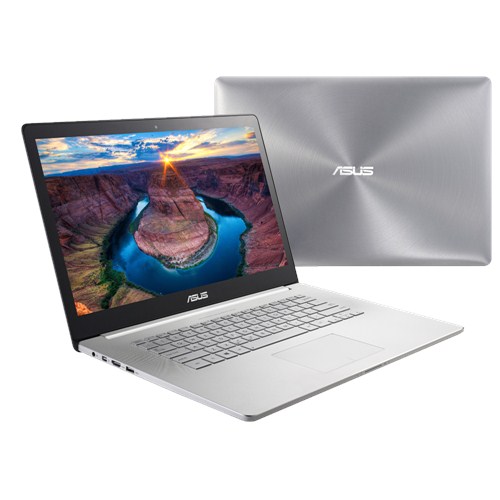
Asus is pretty ambitious with its advertisement and describes its Zenbook NX500JK as a symbiosis of beauty and power. No compromise in terms of performance, GPU with gaming capabilities, the fastest SSD, and all that in a timeless and elegant case. Furthermore, you get a 4K Visual Master display, which offers the highest quality for professionals and gamers with accurate colors and wide viewing angles.
Our test will show what really lies behind the advertisement on the product website. Asus has priced its NX500JK at 2,200 Euros (~$2739). Is the ambitious price justified for a Core i7-4712HQ, a GeForce GTX 850M, and a 256 GB SSD? Certainly not for the components alone, the rivals offer that for much less. The real advantages of the 15-inch Zenbook are the quality of the case as well as the display. The case is an aluminum unibody similar to the MacBook Pro 15, and the display is a 4K touch panel with rich colors and wide viewing angles.
The rivals for the NX500JK only include the best of the best. For example, the Apple MacBook Pro 15 Retina (rating 89%), even though it is not really up to date anymore with the GT 750M and 3K resolution. Then there is the Dell XPS 15 (3K), which also uses a GT 750M.
The following competitors are completely different in terms of design and hardware equipment. Lenovo Y50 (GTX 860M) and MSI GS60 Ghost (GTX 870M) are slim gaming notebooks with an aggressive styling, but they cannot compete with the stability and sophistication of the NX500. Because of the high resolutions of 3840x2160 pixels and 2880x1620 pixels we still list them as rivals for our 15-inch Zenbook.
Case

Asus has equipped its NX500 with the usual ports, the only speciality is the DisplayPort, which is not often used in a consumer notebook, in this case as a mini version. All the ports are in the rear area of the sides, which prevents issues with the cables and collisions with an external mouse for the most part. Older ports like VGA and RJ45 Ethernet have no place in the NX500 due to their dimensions. Users can still use network cables with the USB to Ethernet dongle (ASIX AX88772b) if necessary, but the transfer speed is limited to 100 Mbps.
Apart from Windows 8.1 64-bit, some service applications (Live Update) and tools (Audio Wizard, Smart Gesture), the manufacturer does not install any relevant full versions. In our opinion CyberLink's Media Story is pretty useless. The trial versions of Office and McAfee Live Safe are obviously preloaded as well.


Communication
The NX500 uses a Broadcom 802.11ac adaptor for wireless connections with our WLAN router (Fritz!Box). In theory, Wireless-ac doubles the transfer rates compared to Wireless-n, since it uses two channels. The Broadcom chip does not have a very good signal quality. We can still open notebookcheck.com at a short distance (15 meters; ~49 ft, outside the building, 2 bars), but the notebook loses the signal on our way to the 45 meters (~148 ft) measuring point. Many rivals manage better results with 1-2 bars at the 45 meters (~148 ft) point. One example would be the Satellite P50t (ac-Wi-Fi). The sibling Zenbook UX303LN (ac) did not get a signal at 45 meters, either. The aluminum display cover could be interfering with the WLAN antennas since they are inside the cover.
Accessories
The accessories include a 130-Watt power adaptor, a USB to Ethernet dongle, a zip tie, the warranty information as well as a bag.

Maintenance
The bottom cover of the NX500 is secured with small Torx screws, two of them are underneath the rear support feet. Loosen them, and lift the bottom cover to gain easy access to: WLAN module (mSATA), SSD (M.2), a free M.2 slot (for a second SSD), fans (for cleaning), CMOS battery, memory module (144 pins) and obviously the battery.
Webcam
The 720p webcam does not really suit the expensive NX500. Indoor and outdoor pictures suffer from strong picture noise, and videos have clearly visible ghost effects. Colors are pale and unnaturally flashy.
Warranty
The standard warranty period is 24 months. Asus collects the notebook and returns it to you for free (Collect & Return service). Warranty extensions are only available for products with a one-year manufacturer's warranty.
Keyboard
The keyboard illumination is unfortunately a blessing and a curse at the same time. Asus uses a version where not only the key margins are illuminated, but also the lettering. This makes it tricky to see the lettering under unfavorable lighting conditions, which also means you have to deactivate the illumination in these scenarios. This is mainly an issue for users who cannot touch type and need to see the keys.
Otherwise, the input leaves a good, but not a perfect impression. The average travel with the crisp feedback results in a rather soft and quiet stroke. This means you can type very quietly on the Zenbook. One thing we do not really like is the missing conical curvature of the keys as well as the smooth surface. Both can lead to a slipping of the fingers over the keys. Typing is pretty fast, but the number of typos is comparatively high and the mechanical feedback is not very enjoyable. The working environment seems to be completely flat, but this is not the case. The keys sit in a slight depression. They have to, otherwise they would collide with the panel surface when the lid is closed.
Touchpad
The ClickPad with a diagonal size of 12.5 centimeters (~5 in) has a very smooth surface, so there is hardly any resistance for the fingers. The pad is one large single button, left and right clicks can be executed with clicks on the corresponding position on the lower left or right corner, respectively. The travel is pretty limited, which does not result in a good feedback. The clicking noise is also quite loud, which does not really match the quiet keyboard.
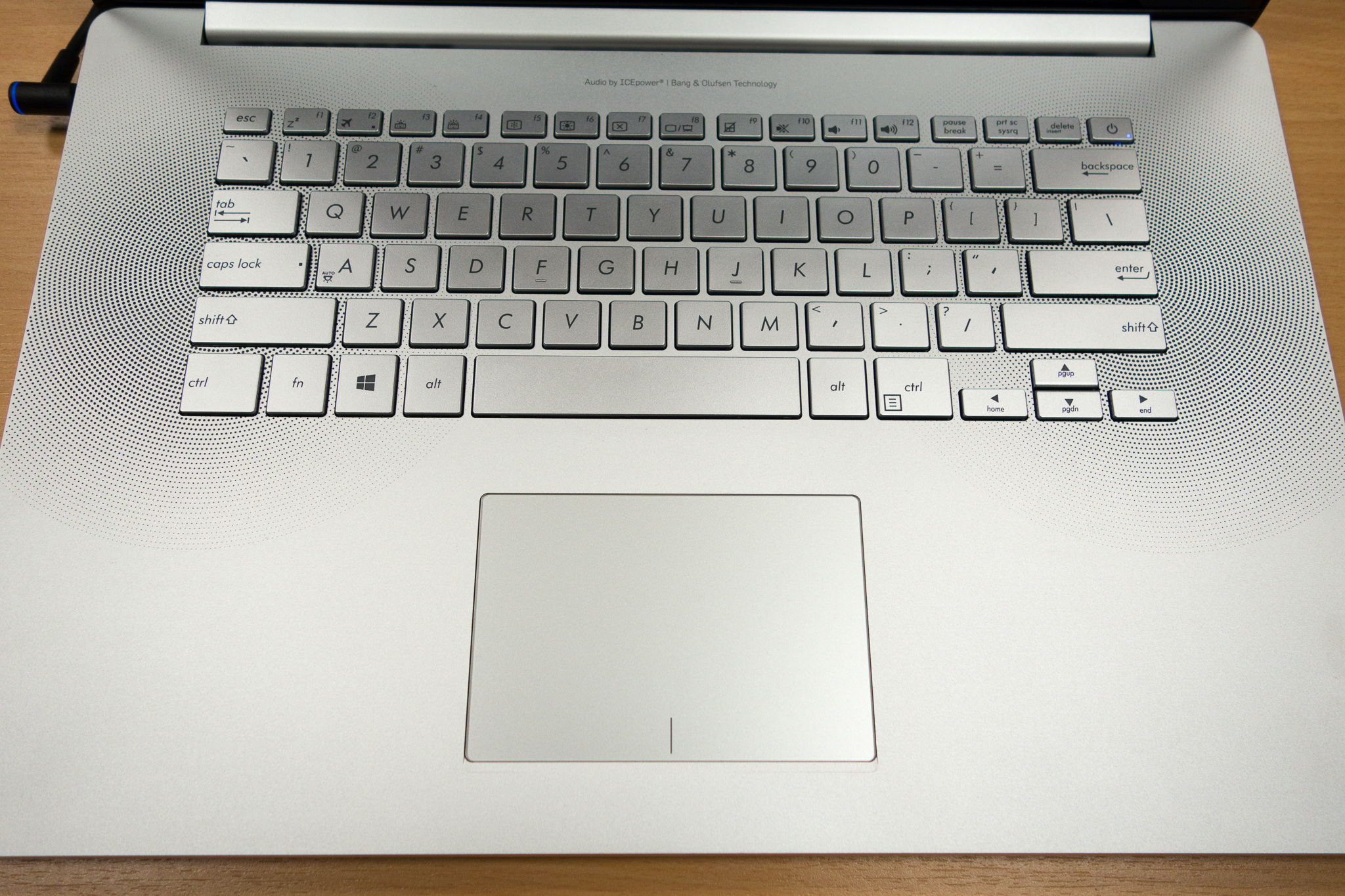
Apart from the feedback, you can work quickly and pretty precisely with the ClickPad. However, the input supports only a few multi-touch gestures, for example, the zoom with two fingers or scrolling up and down. Personalizations, like the deactivation of certain gestures, were not possible in the mouse driver.
Touchpanel
The display is a capacitive 10 fingers multi-touch panel with very good gliding capabilities but also a glossy surface. The firm hinges as well as the limited opening angle of around 135 degrees ensure a convenient operation with the fingers since the display does hardly bounce. The touch panel is sensitive up into the peripheral areas. As long as the finger still has contact with the panel itself, it can already rest on the black frame and still move a window.
Display

The panel does not leave a great impression outdoors, which is primarily caused by the glossy surface. The brightness on battery power is only dimmed when the energy-saving feature in the Intel driver is active. We deactivated it and were able to take two outdoor pictures with the full 309 cd/m².
Typical of an IPS panel, the viewing angles are excellent. It does not matter from which side you look at the display, the contrast remains stable and colors do not distort even with extreme angles from the side.
Performance
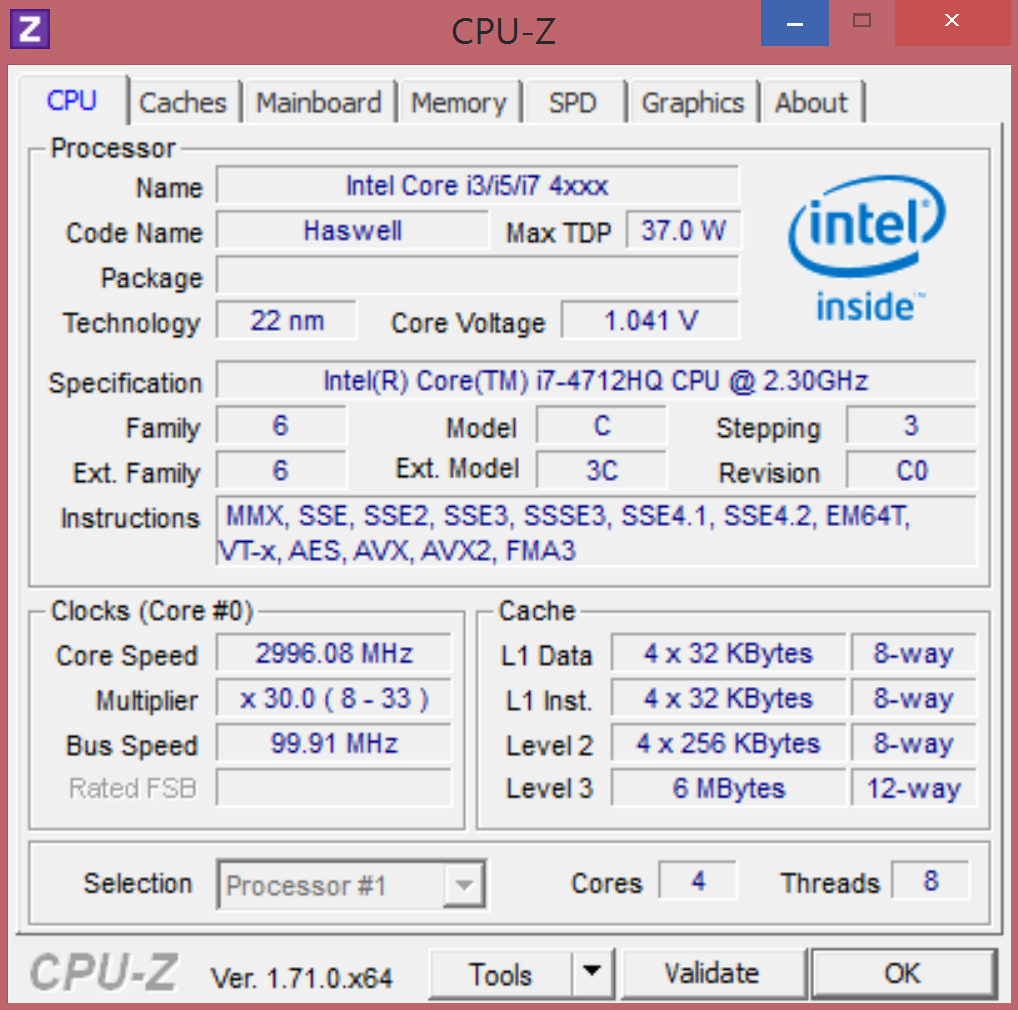
Asus combines a standard voltage Core i7 with a fast Samsung SSD from the XP941-series. Combined with the performance of the dedicated GTX 850M and the integrated HD Graphics 4600, respectively, we get a very high system performance. Games are quickly copied, applications rapidly installed, and the loading times are phenomenally short. This means the NX500 is suited for professionals (workstation with 4K display, wide gamut) and demanding multimedia users (sound, 4K, system performance) at the same time. With the powerful CPU as well as the upgradeability of the memory, even demanding and performance-oriented customers should be satisfied for at least four years. Let us look at the details.